
How to Permanently Delete Your Workload Account 🗑️

Adam Browder
October 29, 2025
You can permanently delete your Workload account if you’ve decided to stop using the platform and want all personal data removed from our system. This action is permanent and cannot be undone and will completely erase your account and associated data.
If you just want to start fresh or separate projects, consider creating or switching to a different workspace instead of deleting your account.
⚠️ Before You Begin
Deleting your account will permanently remove:
- All workflows and automations
- All portal configurations
- All connection settings and linked apps
- Historical data, analytics, and workspace info
When you’re the only user in a workspace, Workload cancels your subscription along with your account. If other users share the workspace, Workload removes only your account and keeps the subscription active for them.
Steps to Delete Your Account
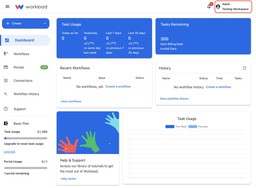
From your dashboard, click your profile icon in the upper-right corner and select User Menu.

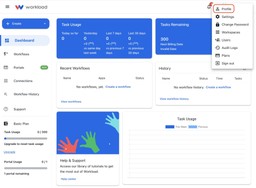
In the User Menu, click the Profile menu.
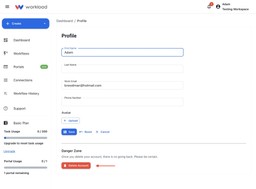
Select the red Delete Account button.

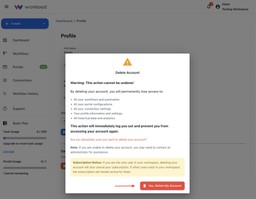
A confirmation window will appear with details about what will be permanently removed. Click Yes, Delete My Account to confirm and proceed.

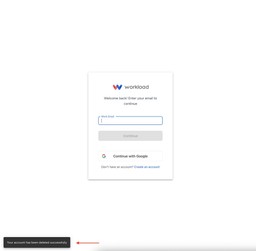
Workload immediately logs you out and shows a message confirming that it deleted your account.

Need Extra Help?
If you experience issues or delete your account by mistake, contact our support team at support@workload.co.
Ready to automate your workflows?
Start building powerful automations with Workload today.
Get Started Free