
AI Agent Builder for SMB Teams: Turn Repetitive Work Into Automated Operations
Workload Content Team
July 1, 2026

AI agent builder tools are moving from experimental demos into daily operations for small and midsize businesses. The best use cases are not giant moonshots. They are the recurring handoffs that slow teams down every week: routing leads, updating records, checking forms, sending reminders, reconciling reports, and escalating exceptions.
Workload helps teams turn those repeatable tasks into goal-driven agents that can plan the steps, connect the right apps, and run the workflow without another person babysitting every click.
What is an AI agent builder?
An AI agent builder is a workspace for describing a business outcome in plain English, giving the agent access to approved tools and data, and then letting it complete multi-step work inside guardrails. Instead of building a rigid automation one trigger at a time, the team defines the goal, reviews the proposed workflow, and monitors what the agent does.
For SMB teams, that shift matters because the bottleneck is rarely a lack of ideas. It is the shortage of time to build and maintain every integration manually.
Where SMB teams should start
The strongest first agents usually sit between two or three systems the team already uses. They do work that is frequent, rules-based, and expensive to miss.
- Lead follow-up: qualify form submissions, enrich contact data, create CRM records, and notify the right owner.
- Scheduling operations: update calendars, send appointment reminders, and flag conflicts before they become customer issues.
- Back-office reporting: collect rows from spreadsheets, summarize changes, and push exceptions to Slack or email.
- Customer intake: validate form data, route missing information, and keep the next step moving without manual copying.
- HR and recruiting: sync candidates, reminders, interviews, and scorecards across applicant tracking and calendar tools.
If a task requires the same person to check one app, copy data into another, and then decide whether to send a message, it is a strong candidate for an agent.
How Workload approaches agent building
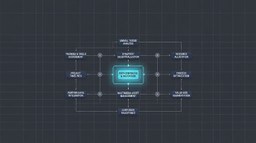
Workload is built for teams that need automation without adding more headcount. The Workload Agents hub shows how goal-driven agents can coordinate across departments, while the integration hub connects the apps already running the business.
Teams can use AI Wizard to describe what should happen, review the workflow before it launches, and connect systems such as CRMs, calendars, messaging tools, spreadsheets, and vertical software. For example, healthcare teams can explore DrChrono agents or connect systems through DrChrono integrations.
How to choose the first agent
Start with a process that has a clear before-and-after state. Good first agents usually meet four criteria:
- High repetition: the task happens daily or weekly.
- Clear inputs: the agent can see the form, record, email, row, or status it needs.
- Low ambiguity: most decisions follow known rules, with exceptions sent to a person.
- Visible business impact: faster response time, fewer missed handoffs, or less admin work.
That combination keeps the first build practical and makes success easy to measure.
The goal is not replacing the team
The practical value of an AI agent builder is helping the same team do more consistent work. Agents handle the background operations so people can spend more time with customers, candidates, patients, partners, and revenue-generating work.
If your team is ready to automate repetitive work, start with the Workload Agents page or explore the Workload integration library to see which apps can be connected first.
Ready to automate the work that still runs by hand?
Describe the outcome. Workload builds and runs it across the apps you already use.
Describe the work